Photo to Tally
Convert mobile snapshots and WhatsApp receipts into Tally vouchers — Convert receipts instantly.
Try Images →Confidential purchase rates and bank data stay on your local PC.
AI preps typing and math in seconds; you review and approve.
Map a supplier once, remembered forever across all future bills.
Strict mathematical reconciliation prevents DayBook mismatch.
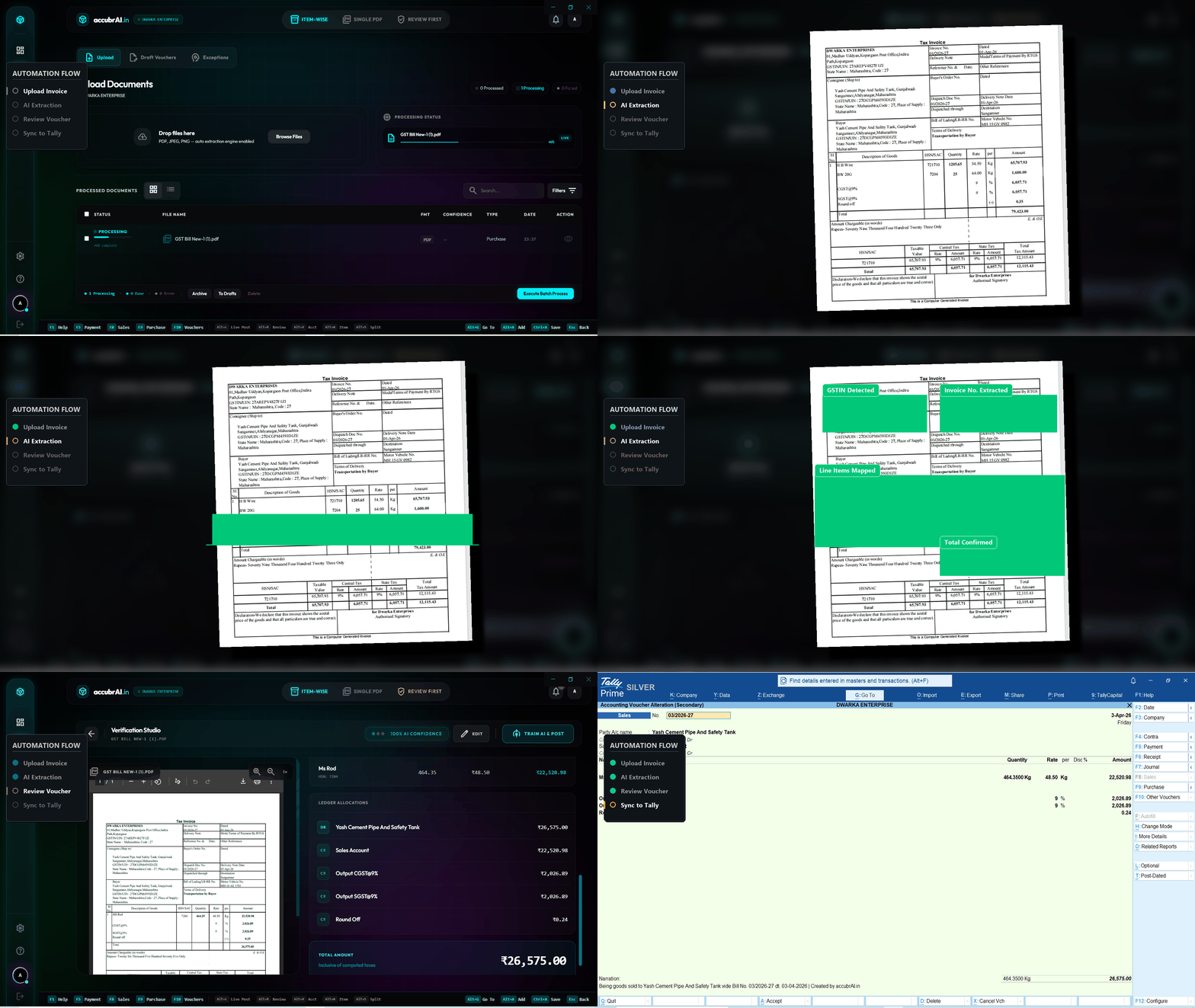
Don't trust claims, trust the UI. Here is exactly how our automation handles a scanned bill or PDF.
AI accurately reads mobile photo invoices and auto-fills party, items, and totals.
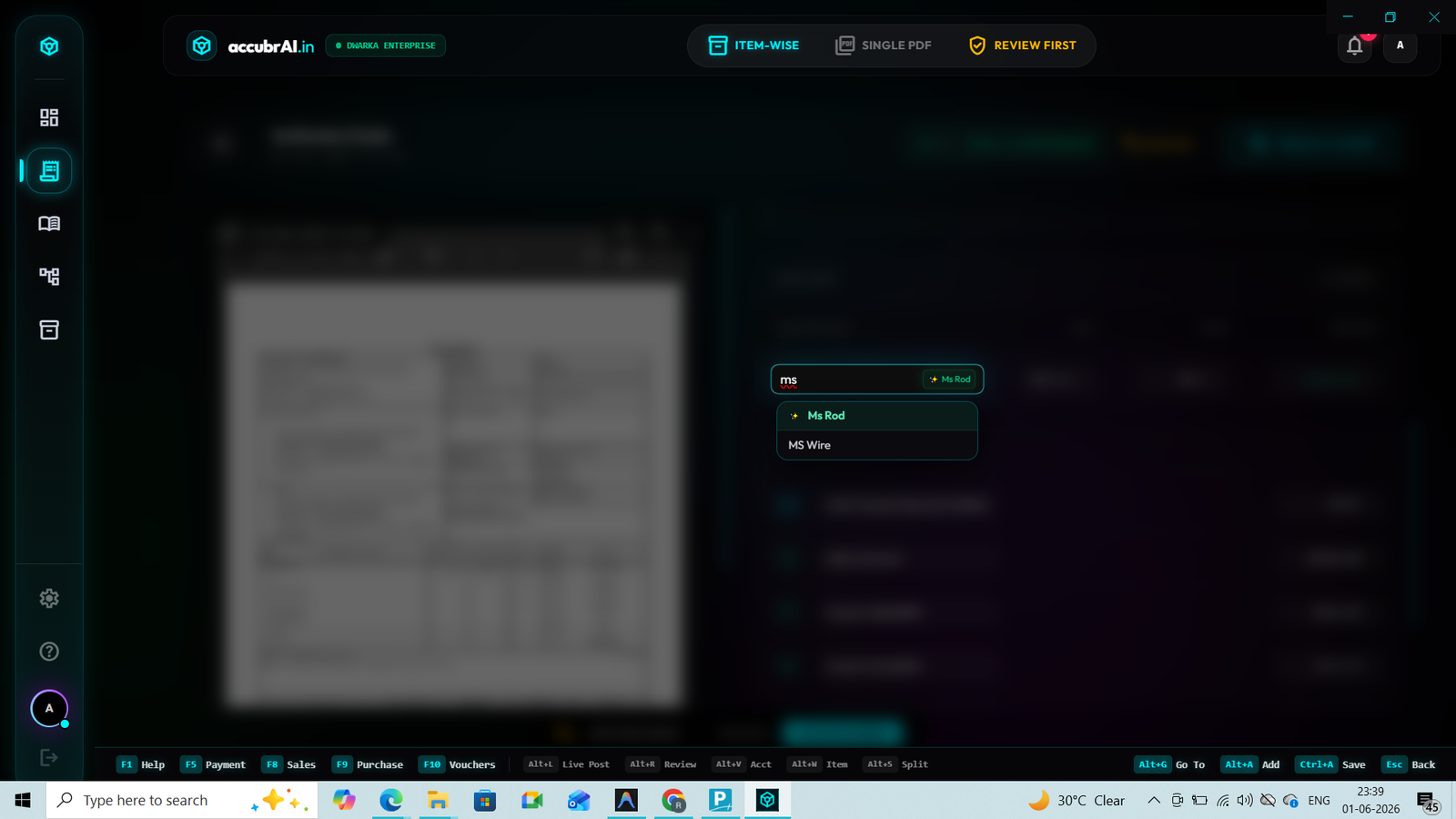
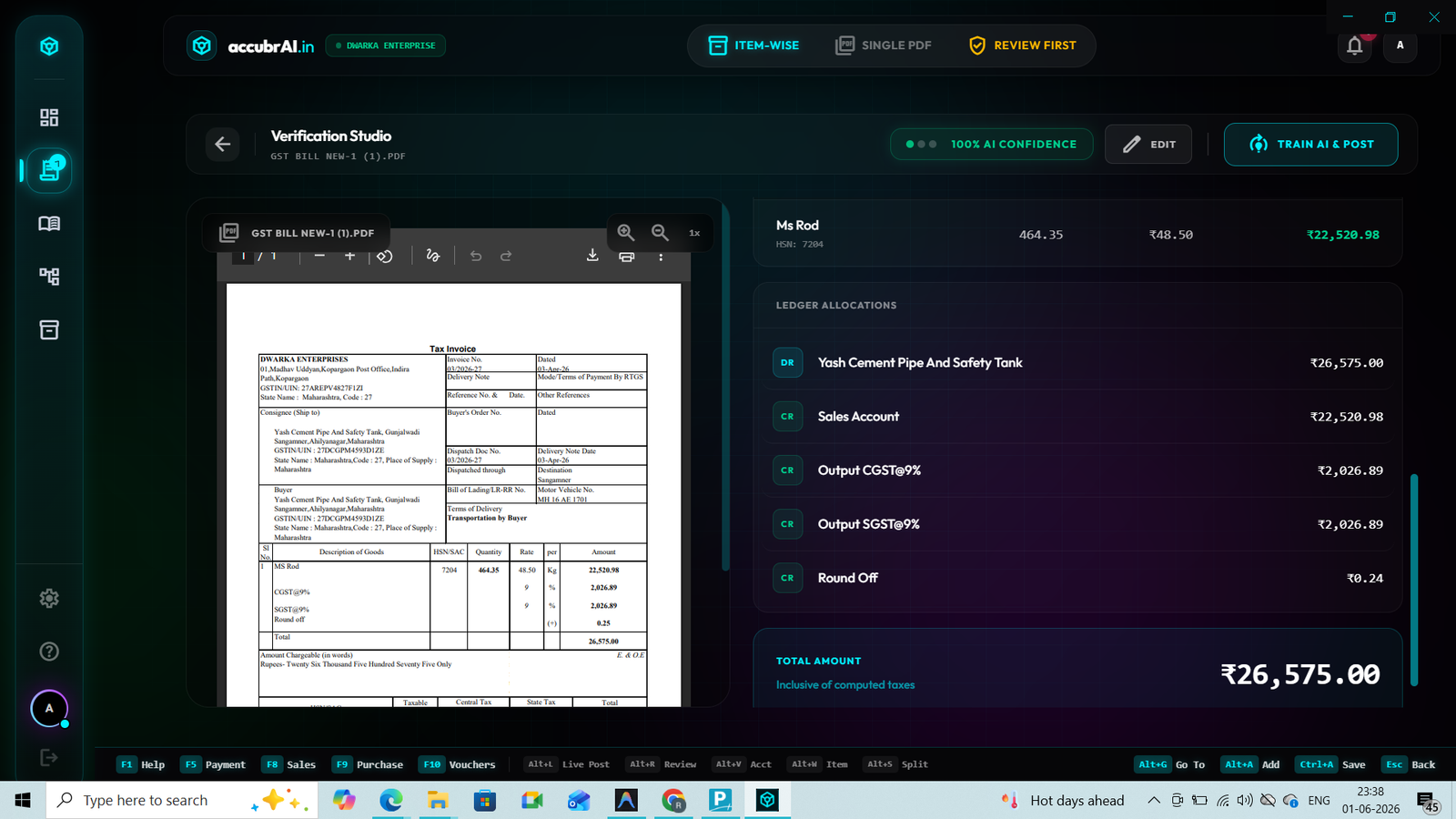
Matches extracted items and supplier names to your exact Tally Master ledgers automatically.
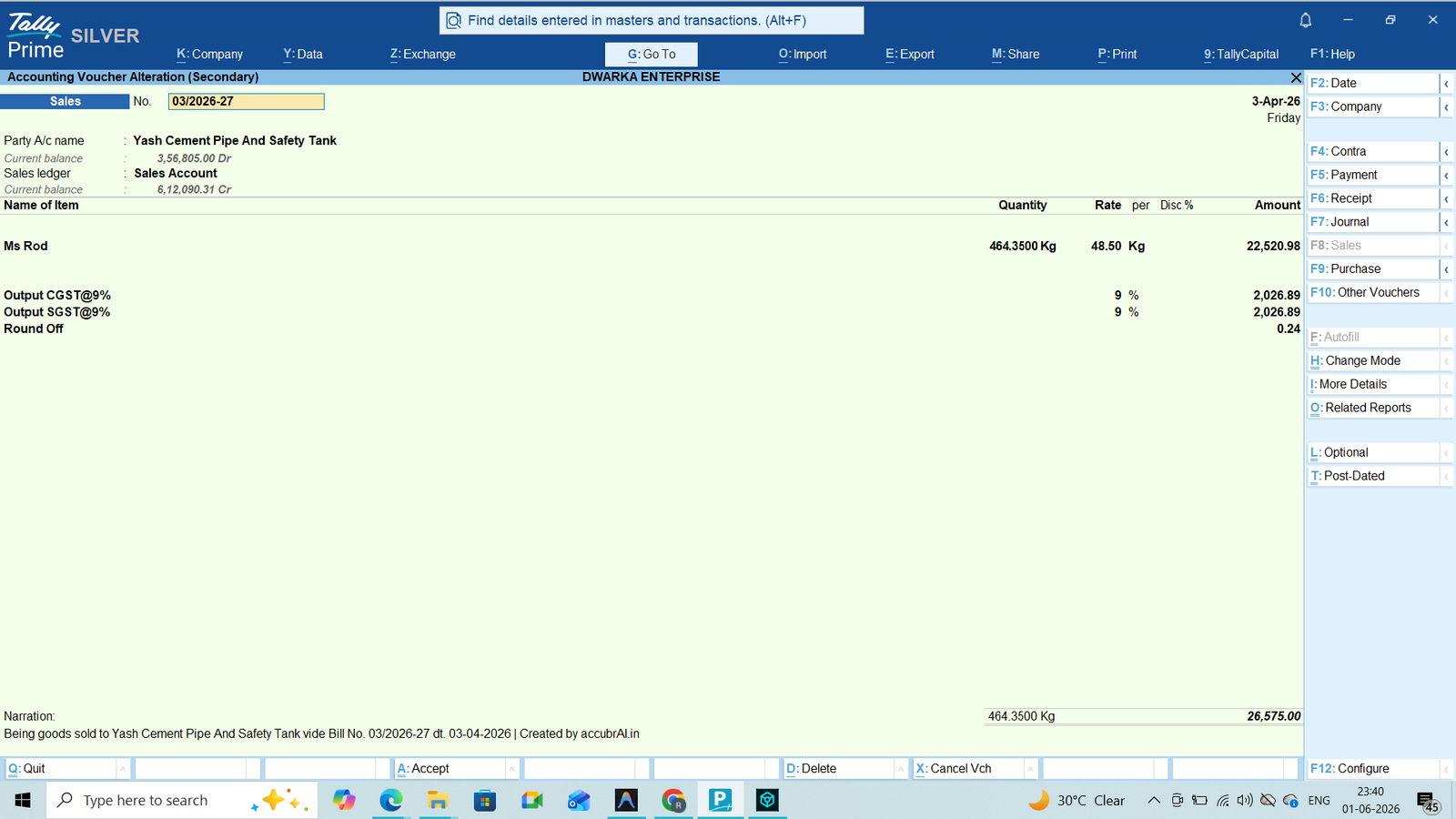
One click and the voucher is generated and posted directly into Tally ERP 9 / Prime.
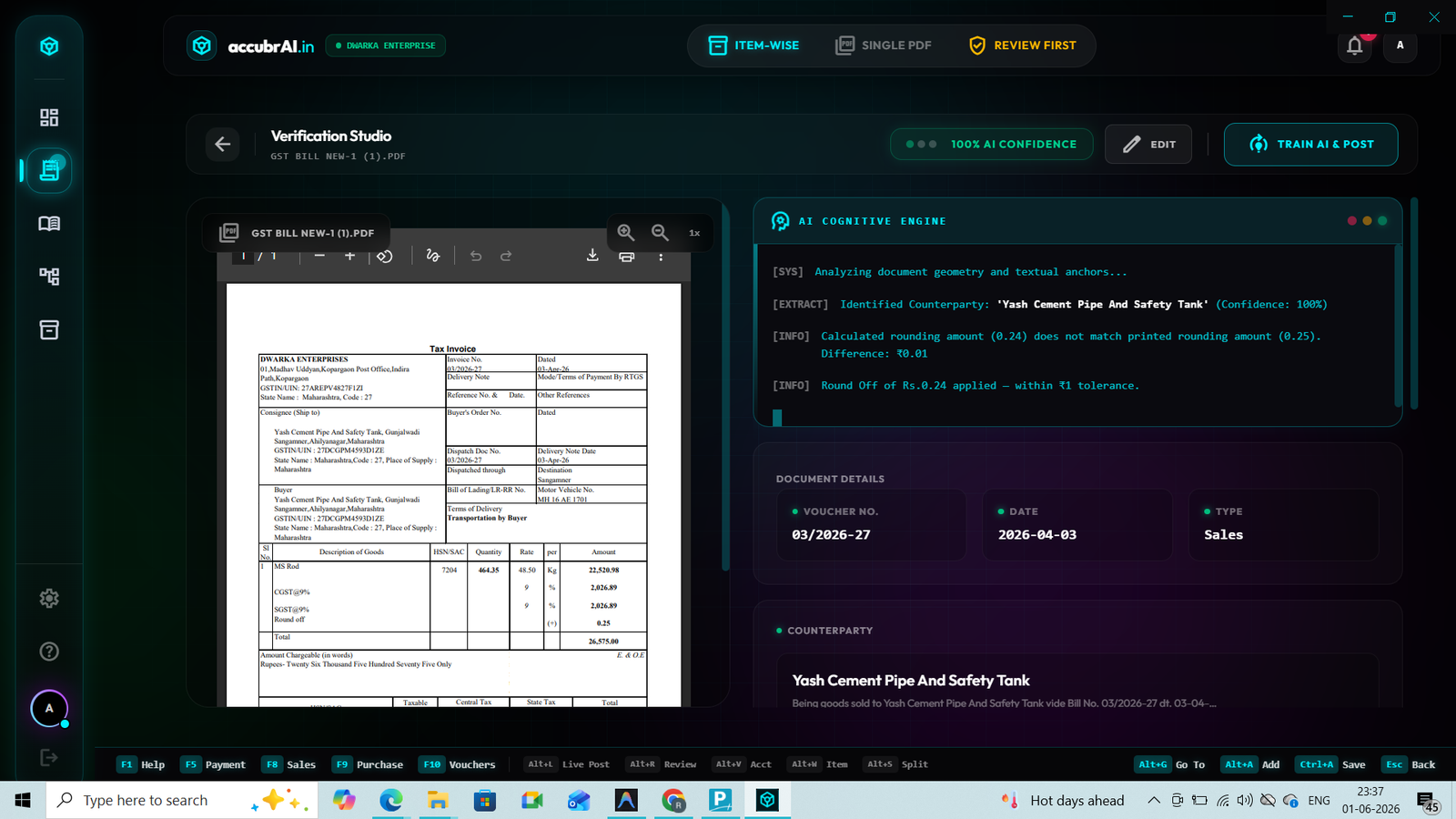
The AI Cognity Engine verifies the GSTIN format and auto-checks the math for CGST/SGST mismatches. Each and every calculation error is highlighted before creating the voucher.
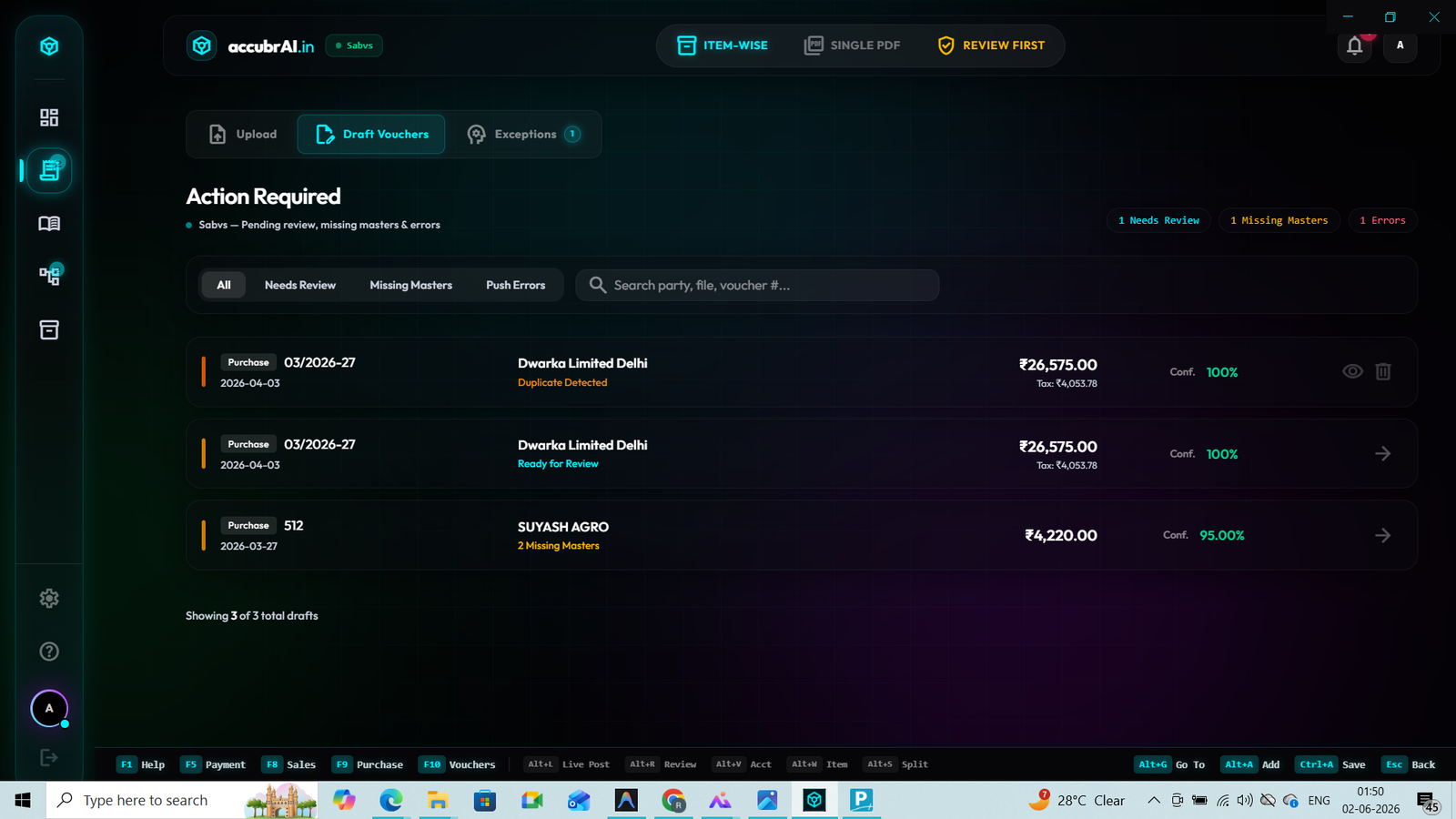
If you upload the same WhatsApp invoice twice, the system flags the invoice number and strictly stops the duplicate entry.
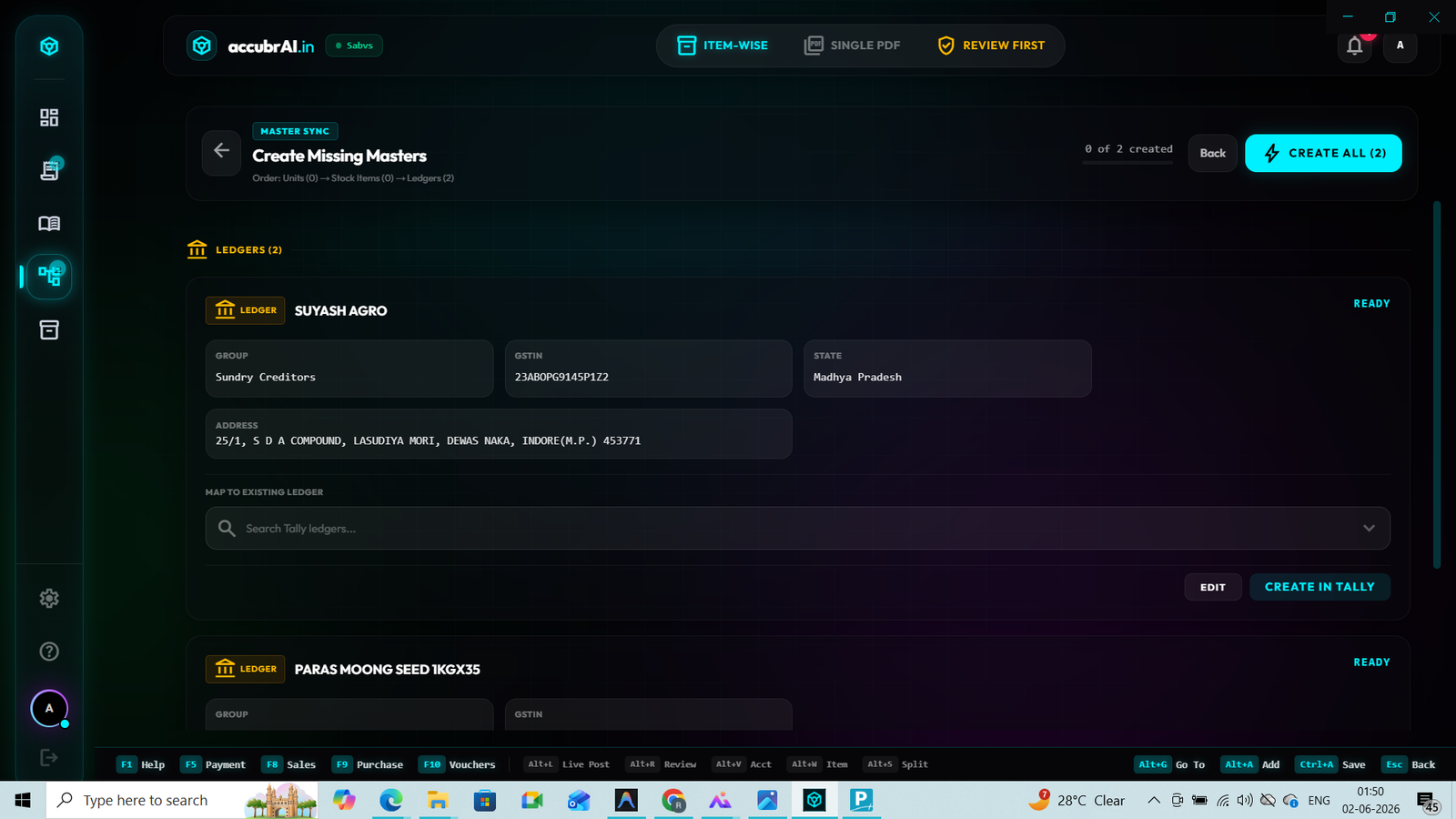
If an item or party ledger doesn't exist, instantly create a new Tally Master directly from our dashboard.
Solving the biggest problems with PDF import: Missing Ledgers, Complex Bank Reconciliations, and Multi-Tax Splitting.
When searching for the best tool for a pdf to tally import, businesses often encounter generic OCR software that just "reads text." But what happens when you try to import a massive 500-page bank statement, and the Contra entries or new vendor names don't match your Tally masters? Standard tools fail instantly, forcing you to manually create ledgers first. accubrAI's engine features intelligent auto-ledger mapping. If our AI detects a new supplier or a unique bank transaction on the PDF, it automatically maps or creates the correct ledger in your Tally company on the fly.
Furthermore, performing a flawless bank statement import in tally prime requires understanding complex banking narrations and extracting UTR numbers for precise bank reconciliation. A basic converter will just dump messy text into an Excel file. accubrAI not only converts your pdf bank statement to excel cleanly, but it can also bypass Excel entirely, generating a native XML format voucher that injects directly into Tally Prime.
A human types 20 entries an hour. Our AI processes an entire monthly pdf bank statement in 60 seconds. That's a 4000% increase in output capacity for your firm.
Every automated entry is cross-checked against your Tally Masters to prevent duplicate vouchers, ensuring your books are perfectly balanced before the XML is imported.
Most tools use rigid "Zone-based" reading that breaks if a bank changes its PDF layout. accubrAI uses Neural Layout Analysis. This means we don't care if the bank moves the withdrawal column or if an invoice has a messy table—our AI *sees* the context like a human accountant would.
Stop relying on manual typing. Here is the definitive, 3-step workflow to completely automate your bank reconciliations and purchase entries using accubrAI.
Whether it's an HDFC bank statement, an SBI passbook scan, or a complex multi-page purchase invoice, simply select your PDF statement or invoice. With 80% local offline processing, critical parsing and ledger mapping run directly on your PC with zero data leakage.
The system doesn't just read numbers; it understands accounting. It decodes complex narrations, identifies UTRs for bank reconciliation, and utilizes auto-ledger mapping to assign debits and credits to the exact Tally masters.
The accountant reviews the prepared vouchers and ledger matches on screen. With 1 click, accubrAI generates a compliant XML format payload and posts it directly into Tally Prime or ERP 9.
No! Unlike traditional tools that cap uploads at 10 files and force you into separate screens for sales and purchase bills, accubrAI lets you bulk drag-and-drop 50+ mixed PDFs together. Our AI automatically detects each document's nature (Sales F8, Purchase F9, Credit Notes, Debit Notes, Receipts, or Payments) based on party GSTINs and headers.
Yes. You can provide the password securely during the pdf to tally import process, allowing the AI to unlock and parse the transactions.
Absolutely. The engine correctly identifies Place of Supply and maps to CGST/SGST or IGST ledgers based on your state profiles.
Yes! While our primary feature is direct Tally sync, many users use accubrAI to cleanly convert a pdf bank statement to excel with perfect columns for custom analysis.
Yes, we are fully optimized for the latest Tally Prime API, offering zero-delay sync even for high-volume CA firms.